JR-100 GAMES

PENDULUM PORT

Release a swinging rope to land on platforms across six sections, progressing from six to eleven landings. A center landing earns 2 points; an edge earns 1. Later platforms may allow only a center landing.

振り子から手を離し、足場へ飛び移る全6区間。6回から11回の着地を続けます。足場の中央は2点、端は1点で、後半には中央しか着地できない足場も現れます。

pendulum-port.prg · v2.0.0 · 7.2 KiB · 16 KB RAM · Autostart ready自動起動対応

Start on MiSTerMiSTerで起動

  1. Copy the .prg into games/JR100/ on your SD card..prgをSDカードのgames/JR100/へコピーします。
  2. In the JR-100 core menu, set Autostart loaded program to Yes.JR-100コアのメニューでAutostart loaded programをYesにします。
  3. Choose Load PRG, select the game, then press RETURN at its title.Load PRGでゲームを選び、タイトル画面でRETURNを押します。

Still at READY? TypeREADYで止まる場合は A=USR($0300) and press RETURN.を入力してRETURN。 First-time setup / SuperStation One初回設定・SuperStation Oneの手順

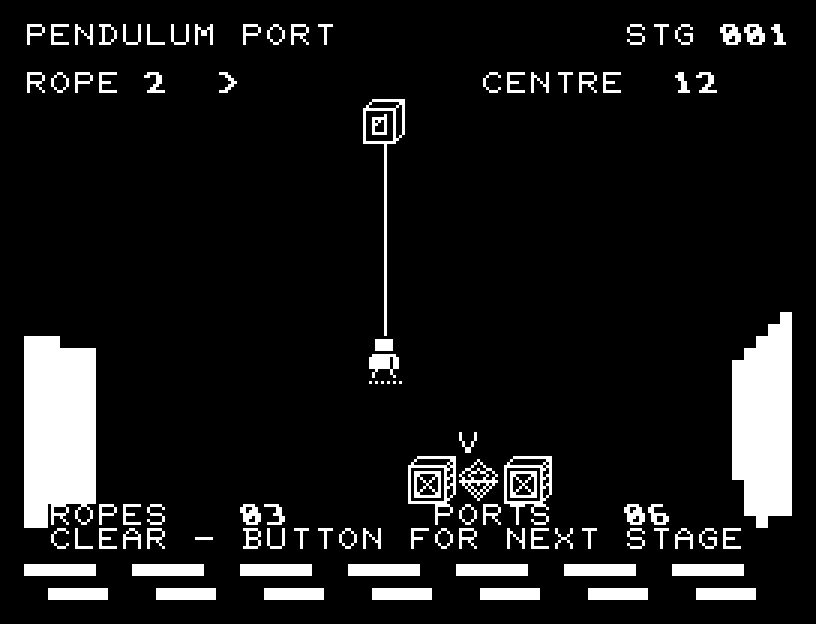
PENDULUM PORT — At the start
At the start開始時の盤面
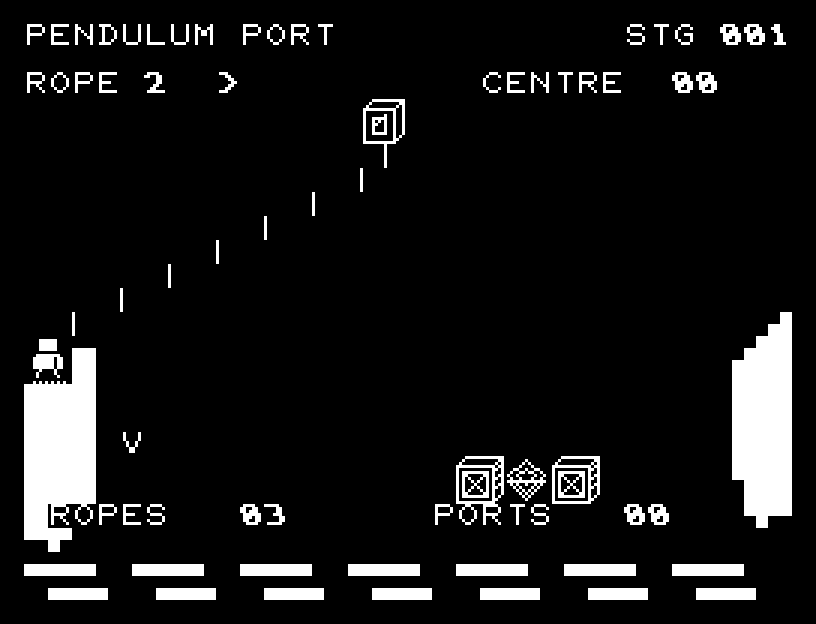
PENDULUM PORT — In play
In playプレイ中
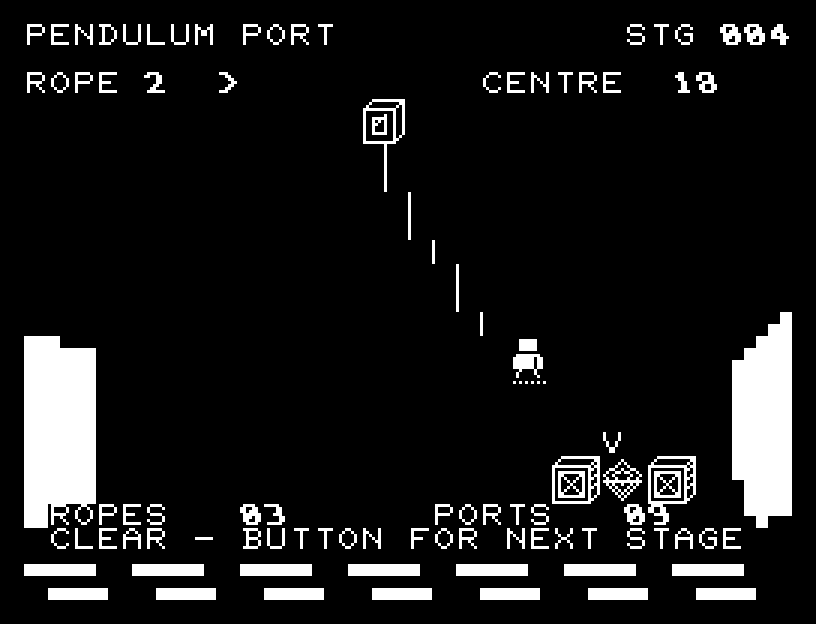
PENDULUM PORT — First goal reached
First goal reached最初の目標を達成

First stage cleared.1ステージのクリアまでを収録。

Controls and play

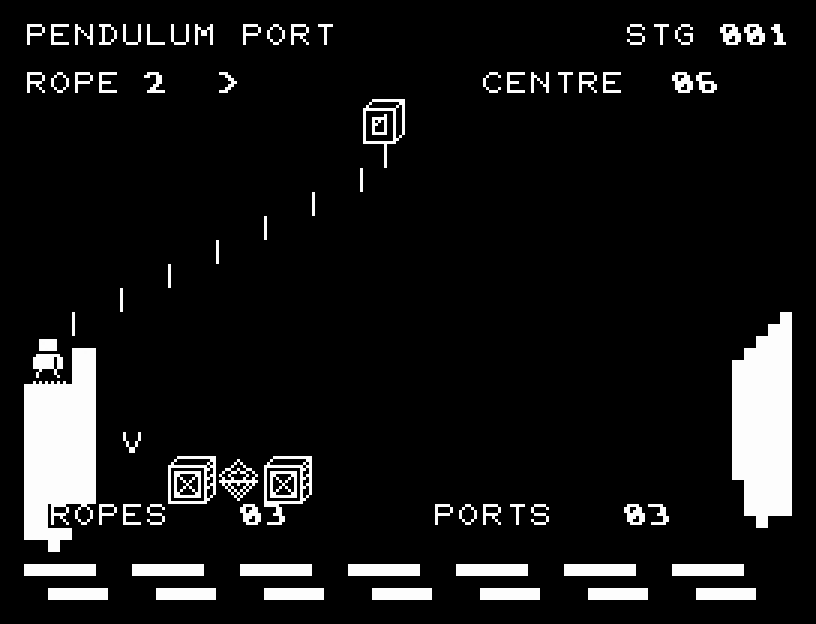
A/D changes rope length from 1 to 3; RETURN releases. You travel in the current swing direction by your rope's length before dropping. The V mark previews your current landing point.

Directions work on the keyboard or pad; the pad button also acts as RETURN. SPACE opens confirmation to restart this stage. NO is selected initially. Choose with A/D, confirm with RETURN, or cancel with SPACE. Play pauses during confirmation. CTRL+C returns to BASIC.

Semigraphic cliffs and waves frame the pendulum. The leap follows an arc through intermediate positions, with visible landing or falling. Center landings have distinct light and sound. Wait for animations to finish before pressing again.

ROPE is length, the arrow is swing direction, CENTRE shows landing-point value, ROPES is attempts remaining, and PORTS counts crossed platforms. Aim for the central diamond or choose a wider edge for a safer crossing.
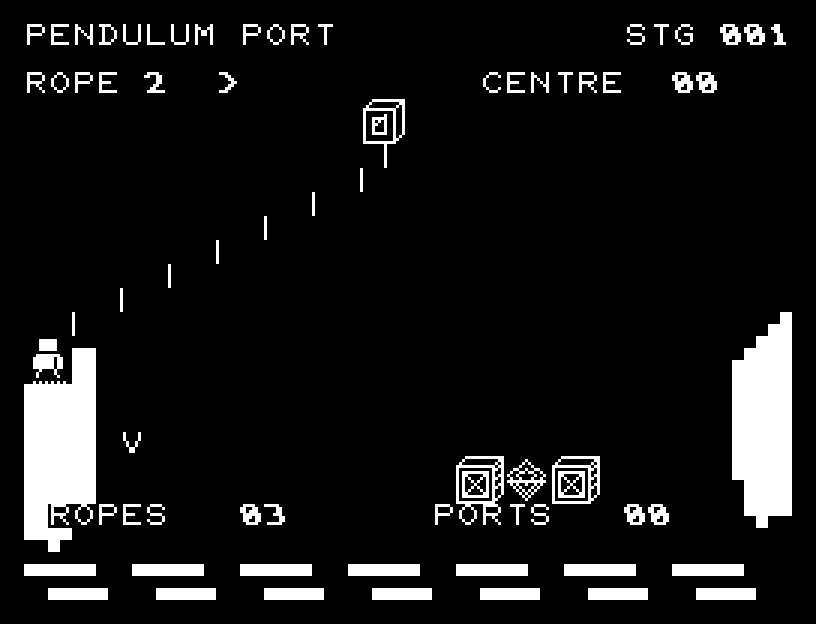
More screenshots

PENDULUM PORT: play 01

PENDULUM PORT: play 02

操作と遊び方

A/Dでロープの長さを1〜3に変え、RETURNで手を離します。移動している方向へロープの長さだけ進んで落ちます。V印が現在の着地点予告です。

方向キーはキーボードまたはパッド、RETURNはパッドのボタンでも操作できます。SPACEでこの面のやり直し確認を開きます。やり直し確認はNOが初期選択です。A/Dで選び、RETURNで確定、SPACEで取り消します。確認中は進行を止めます。CTRL+CでBASICへ戻ります。

岸壁と波をセミグラフィックスで描き、振り子、放物線の跳躍、着地と落下の途中の位置を表示します。中央への着地は光と音で区別します。演出が終わってから次のキーを押してください。

ROPEはロープの長さ、矢印は振れる方向、CENTREは着地点の得点、ROPESは残り挑戦回数、PORTSは渡った足場の数です。中央の菱形を狙うか、広い端で確実に進むかを選びます。

ゲーム開始時

プレイ中の場面