JR-100 GAMES

FUSE BOX

Turn on the specified number of switches in every row and column. Any arrangement satisfying all totals is correct.

行と列に指定された個数だけスイッチを入れます。すべての個数が一致すれば、どの配置でも正解です。

fuse-box.prg · v1.6.1 · 7.0 KiB · 16 KB RAM · Autostart ready自動起動対応

Start on MiSTerMiSTerで起動

  1. Copy the .prg into games/JR100/ on your SD card..prgをSDカードのgames/JR100/へコピーします。
  2. In the JR-100 core menu, set Autostart loaded program to Yes.JR-100コアのメニューでAutostart loaded programをYesにします。
  3. Choose Load PRG, select the game, then press RETURN at its title.Load PRGでゲームを選び、タイトル画面でRETURNを押します。

Still at READY? TypeREADYで止まる場合は A=USR($0300) and press RETURN.を入力してRETURN。 First-time setup / SuperStation One初回設定・SuperStation Oneの手順

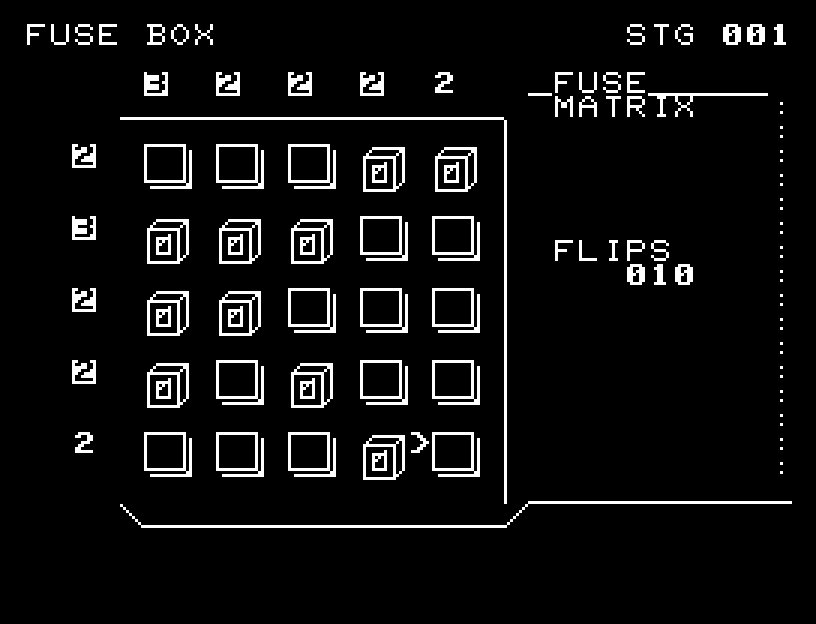
FUSE BOX — At the start
At the start開始時の盤面
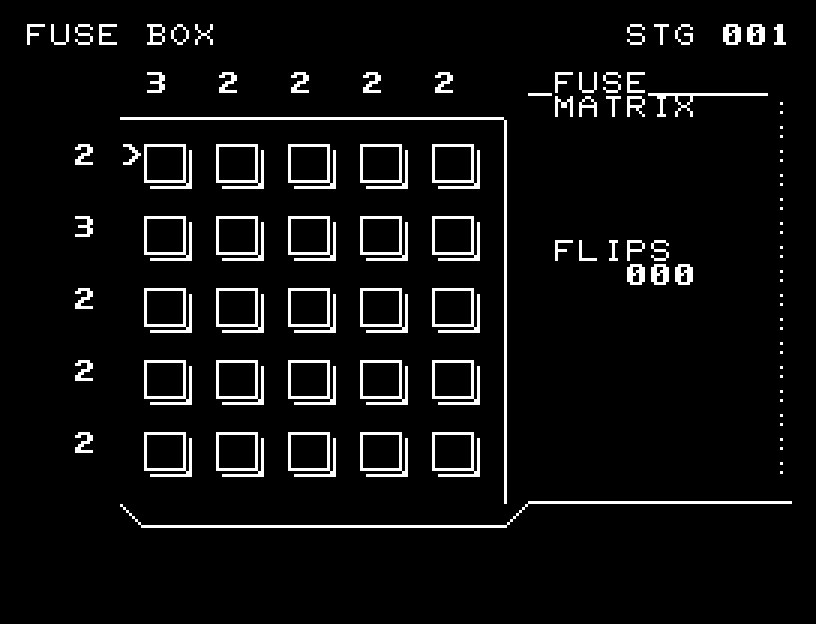
FUSE BOX — In play
In playプレイ中
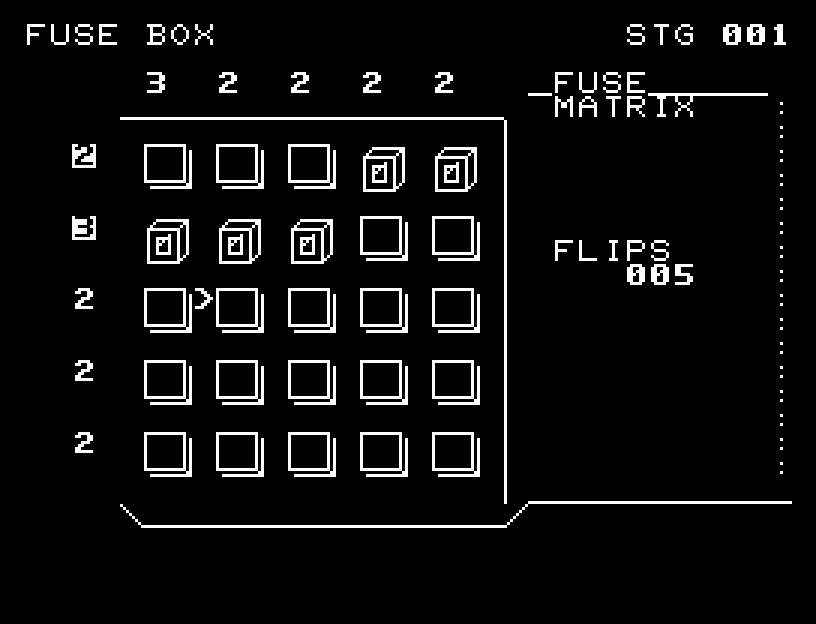
FUSE BOX — First goal reached
First goal reached最初の目標を達成

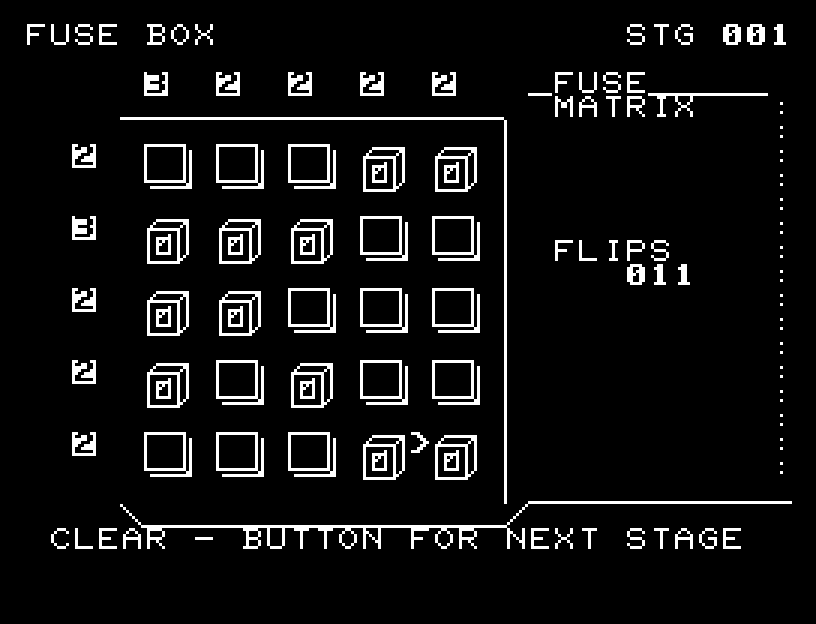
First stage cleared.1ステージのクリアまでを収録。

Controls and play

WASD selects a switch; RETURN toggles it on or off.

Directions work on the keyboard or pad; the pad button also acts as RETURN. SPACE opens confirmation to restart this stage. NO is selected initially. Choose with A/D, confirm with RETURN, or cancel with SPACE. Play pauses during confirmation. CTRL+C returns to BASIC.

A tile's face narrows to its edge before the opposite face opens. Both turning on and turning off have intermediate frames and sound. Wait for the animation to finish before pressing again.

Numbers above the board are column totals; those on the left are row totals. A number is inverted when the number of enabled switches matches it, and returns to normal if the total changes away from the target. These are totals for the whole row or column, not lengths of consecutive groups.

Start with rows needing more switches. Subtract the switches already on from each column's target to find how many it still needs. Prefer columns with larger remaining counts, choosing nearby cells when counts tie. When a row's number inverts, move on and recalculate column needs. Do not add more switches to a row or column whose target is already satisfied.

The first-stage video begins where the second row's 3 intersects the leftmost column's 3. Two more switches complete that row; other rows are then filled according to remaining counts. There is no need to start in the center. Different layouts clear if every row and column total matches.

More screenshots
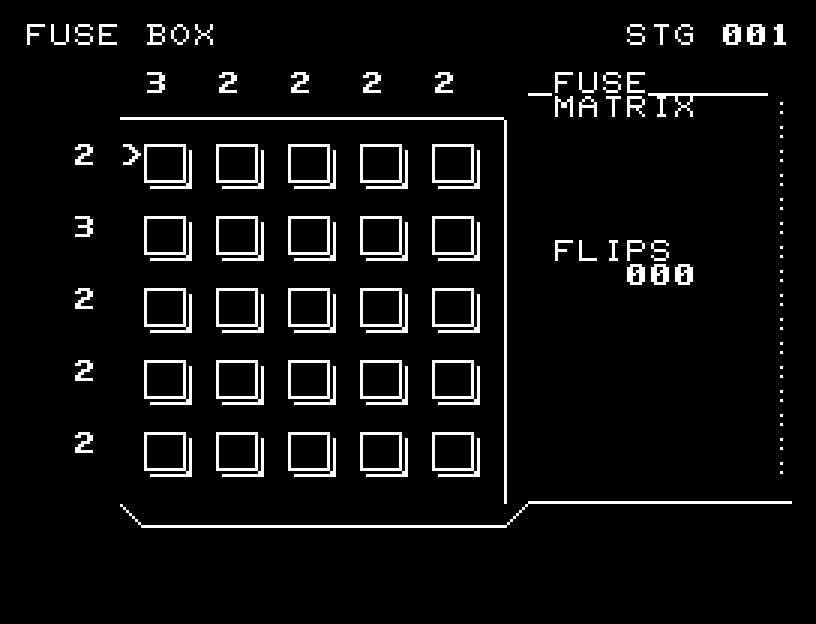
FUSE BOX: play 01

FUSE BOX: play 02

操作と遊び方

WASDでスイッチを選び、RETURNで入/切を反転します。

方向キーはキーボードまたはパッド、RETURNはパッドのボタンでも操作できます。SPACEでこの面のやり直し確認を開きます。やり直し確認はNOが初期選択です。A/Dで選び、RETURNで確定、SPACEで取り消します。確認中は進行を止めます。CTRL+CでBASICへ戻ります。

マスは面が細くなり、側面を見せてから反対の面が開く順に切り替わります。入/切の両方向に途中の形と効果音があります。演出が終わってから次のキーを押してください。

上の数字は列、左の数字は行の目標個数です。スイッチの入っている数が目標と一致すると、その数字が白黒反転します。入れ過ぎたりスイッチを切ったりして一致しなくなると通常表示に戻ります。連続したマス数ではなく、行・列それぞれの合計を合わせます。

攻略では、必要数の多い行から埋めます。上の数字から、その列にすでに入れた数を引き、「あと何個必要か」を数えてください。残り個数の多い列を優先し、同じ個数なら近いマスを選びます。行の数字が反転したら次の行へ移り、列の残り個数を数え直します。反転した行・列には、それ以上入れません。

1面の動画では、左の「3」がある上から2行目と、上の「3」がある左端の列の交点から始めます。そこから同じ行にあと2個を入れて「3」を反転させ、残り個数を見ながらほかの行を埋めていきます。中央から始める必要はなく、すべての行・列の個数が合えば別の配置でもクリアできます。

ゲーム開始時

プレイ中の場面